See geometry where it happens
Learners can move around geometric objects, inspect them from different viewpoints, and manipulate them with direct spatial actions instead of only orbiting a desktop camera.
Construct3D for Unreal is a modern open-source reimplementation of the original Construct3D learning environment. It brings embodied, dependency-driven geometry to current mixed-reality hardware: points, lines, planes, conics, surfaces, intersections, sweeps, booleans, and differential geometry remain live while the user edits the scene.
The system is intended for geometry teaching, guided student exploration, early-university STEM use, and research on immersive learning technologies.
The student guide is designed as a simple classroom instruction sheet. It lists all current construction methods, explains the selection-action workflow, and summarizes the menu tools in plain language.
The original Construct3D project explored how geometry becomes easier to understand when objects can be inspected, manipulated, and discussed in real three-dimensional space. The Unreal reimplementation preserves that educational idea while rebuilding the system on current mixed-reality hardware and a modern geometry kernel.
Learners can move around geometric objects, inspect them from different viewpoints, and manipulate them with direct spatial actions instead of only orbiting a desktop camera.
Construct3D emphasizes the construction process itself. The goal is to make relationships, dependencies, and variation visible rather than to produce polished engineering models.
The current system combines Unreal Engine, Open CASCADE Technology, Meta Quest hardware, documentation, and public source code so that the platform can be inspected, reused, and extended.
The two gallery images below correspond to Figures 3 and 4 from the current paper draft and show the range from advanced differential geometry to free-form surface interaction.
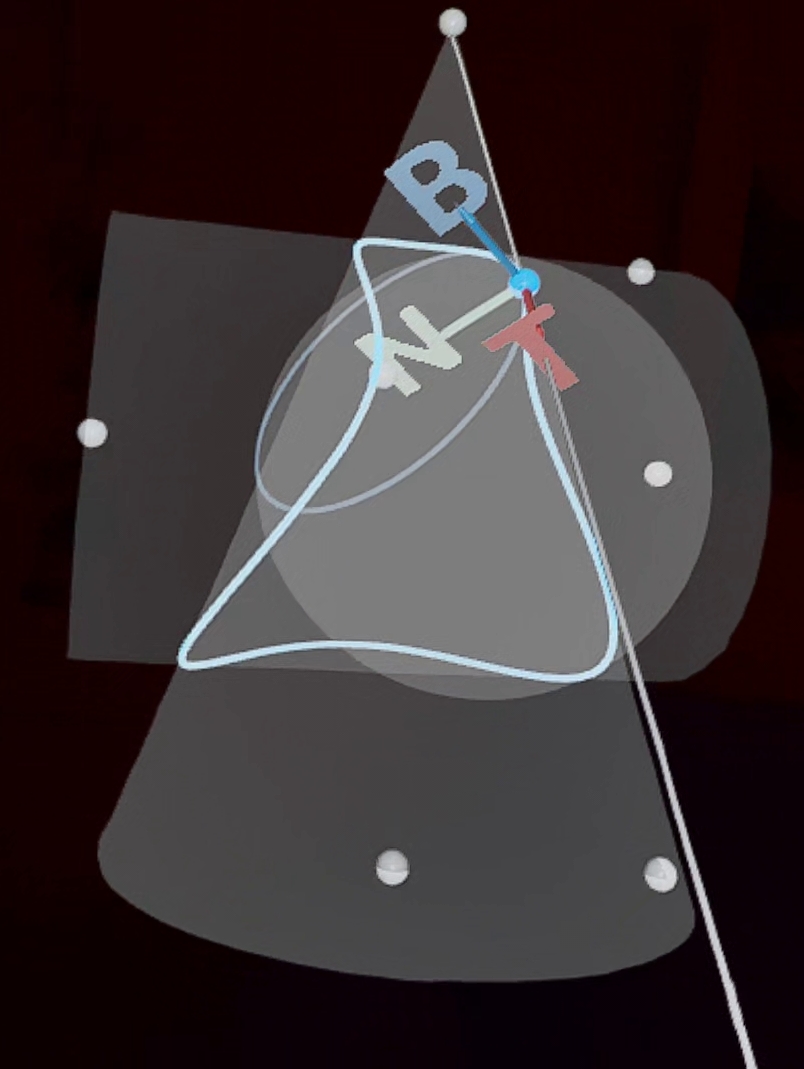
A cone-cylinder intersection curve with tangent, Frenet frame, center of curvature, circle of curvature, and osculating sphere.
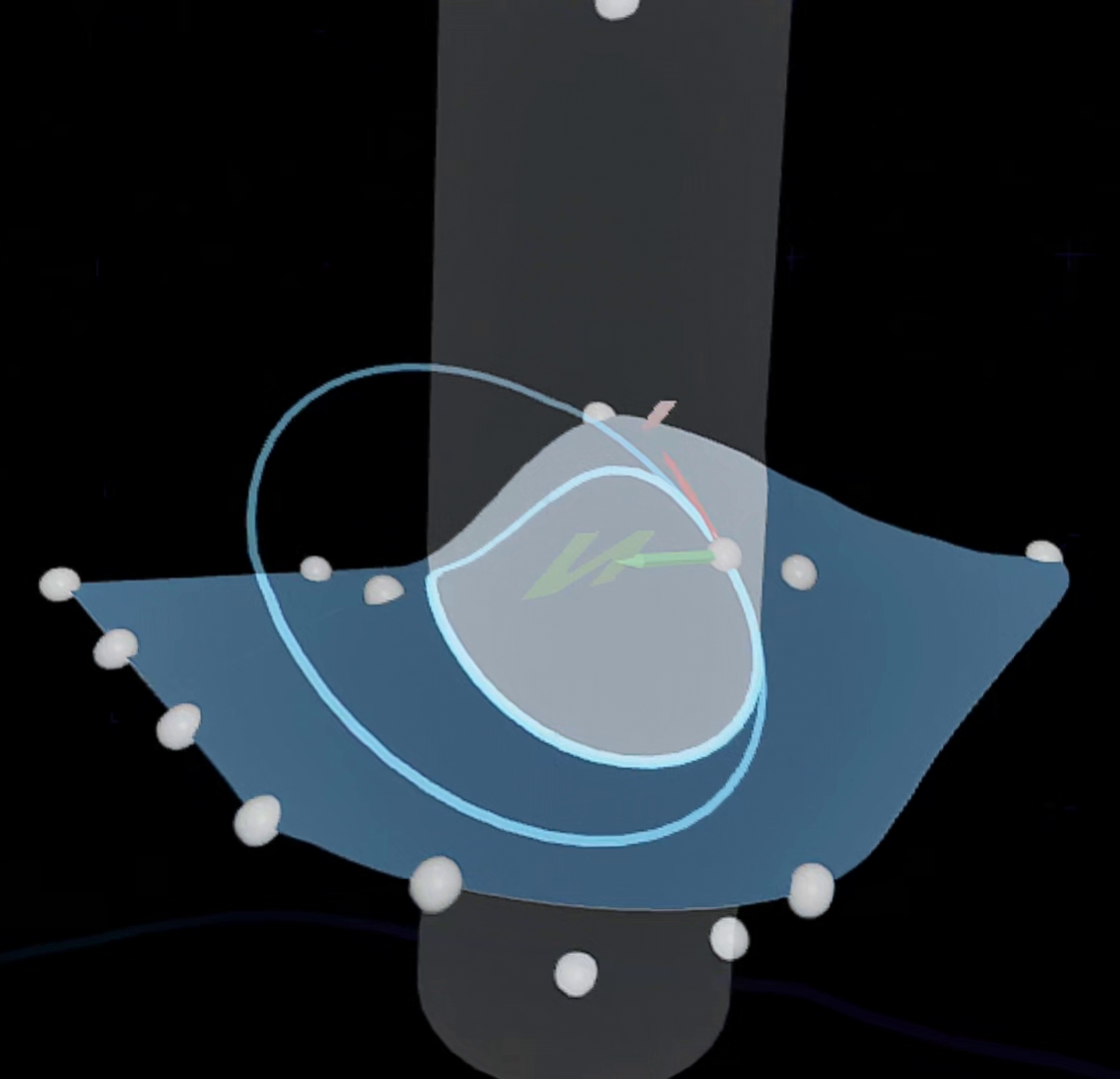
An editable NURBS surface intersected with a cylinder, with a point on the intersection curve used for local curvature analysis.
The following three videos are linked from the original IMS Construct3D archive page and show the historical system in action.
Original Construct3D demonstration from the IMS project archive.
Watch on YouTubeFurther archival demonstration of geometric interaction in the original system.
Watch on YouTubeAdditional historical footage of Construct3D in action.
Watch on YouTubeThe repository contains a full documentation set for setup, runtime architecture, geometry objects, construction methods, interaction, and release preparation.
Project overview, scope, supported features, and documentation map.
Open READMEFirst-time setup, Meta plugin installation, and prerequisite workflow.
Open SetupBuild targets, runtime notes, packaging, and deployment details.
Open BuildRuntimeHigh-level system architecture, runtime layers, and dependencies.
Open ArchitectureGeometry kernel integration and retained-shape behavior.
Open OCCTBridgeRelease packaging, snapshot contents, and distribution notes.
Open ReleaseArtifactsObject families, refresh behavior, dependencies, and failure boundaries.
Open GeometryObjectsObject-by-object construction reference for the current prototype.
Open ConstructionMethodsImplemented curve and surface analysis tools.
Open DiffGeoPersistence model, dependency reconstruction, and scene recovery.
Open SaveLoadUndoMenu system, multimodal interaction, stylus support, and hover strategy.
Open VRInteractionTerminology reference and class-oriented entry points into the codebase.
GlossaryFor contribution workflow and repository conventions, also see CONTRIBUTING.md.